What is CryptKey
What is CryptKey
The name CryptKey derives from Crypt and Key, symbolizing a digital key entirely under user control.
Built on a foundation of encryption security, we are dedicated to providing users with both secure and convenient password management experience. Whether for daily office work, online shopping, or digital entertainment, CryptKey enables fast, secure account logins, allowing you to safely enjoy the digital world.
"Absolute Security" as the foundation and "Ultimate Convenience" as the wings form the core design philosophy of CryptKey from start to finish.
Tips
📖 Want to learn more about CryptKey's privacy philosophy and detailed policies? Check out 👉 Privacy Policy
Quick Start
This document is the complete user guide for CryptKey. Reading it systematically will help you better master all features.
If you prefer to jump right in and start experiencing the software, welcome to consult 👉 Quick Start Guide
🏰 Security Architecture
CryptKey employs a three-layer security architecture to comprehensively protect your password security:
Top Layer: Account Passwords
Features a built-in advanced password generator supporting creation of strong passwords using numbers, symbols, uppercase and lowercase letters. Integrated with a Weak Password Dictionary, it validates password strength in real-time and provides suggestions, effectively mitigating weak password risks. Significantly enhances security for all types of user accounts.
Middle Layer: Feature Management
Supports adding multiple feature descriptions (including purpose, notes, etc.) to each account. Through the powerful built-in search functionality, you can quickly locate specific account information by remembering just the general details and purpose of an account, perfectly solving the challenge of remembering multiple accounts.
Bottom Layer: Encryption Foundation
Utilizes multiple top-tier industry encryption algorithms, implementing a uniquely designed multi-layer composite encryption scheme that generates password files in a proprietary format. From a data perspective, the generated password files are merely irregular, completely unreadable binary bytes, decryptable and readable only using the private key generated locally on your device.
🎦 Application Scenarios
🔐 Personal Daily Security Protection
As CryptKey's most common use case, it helps you break the habit of reusing weak passwords, effectively prevents credential stuffing attacks, and comprehensively enhances the security of your personal digital assets.
You can use CryptKey to locally manage all account passwords without relying on memory. Leveraging the powerful built-in fuzzy search function, simply remember vague characteristics of an account to quickly index and achieve secure login.
💼 Internal Enterprise Team Usage
Enterprises often face the challenge of managing large volumes of account passwords, from access control systems to corporate account payment tokens. Secure storage of digital media has always been a corporate difficulty.
Using CryptKey allows creating separate password files for different environments (e.g., technical, operations, finance), achieving complete physical isolation.
Password files, public keys, and private keys can be managed by personnel with different permissions, enabling mutual data oversight. Passwords are only transferred to required scenarios when needed, significantly reducing overall leakage risk and彻底 eliminating weak password security hazards.
🌐 Offline Environments
CryptKey supports fully offline operation; password management functionality is not limited by network conditions. (Internet connection is only required for activation and update checks.)
Tips
While offline use is our recommended method, we still advise keeping the device where CryptKey is installed periodically connected to the internet to check for updates. If internet connection is impossible, regularly check the Download Now page to manually download the latest version installer, copy it to the offline device, and install the update. Updates will perform an overlay installation; no internet is required, and the valid activation status for the offline environment is maintained.
We periodically release new versions to address potential issues – these security updates are extremely necessary!
📲 Cross-Device Offline Sync
Users can export encrypted database files to synchronize password files across multiple trusted devices (e.g., office computer and home computer), enabling cross-device usage in offline environments, balancing security and flexibility.
Since password files remain encrypted, you can safely transfer or store these files in any environment without worrying about leakage risk!
However, you must ensure the key files used by the password files are stored and distributed securely and under control. We strongly recommend storing key files locally and offline only.
Never leak them! Never send them publicly! Never store them with any third party!
🔖 Usage Recommendations
To further protect your information security, we recommend the following practices:
For Reference Only
- Don't put all your eggs in one basket. We recommend creating multiple password files to manage different types of account information based on their purpose.
- Back up the keys generated by CryptKey onto multiple USB drives, managing public and private keys separately.
- Install CryptKey on computers within a trusted environment, preferably for use in offline settings.
- Store the password files generated by CryptKey on virtual disks or USB drives, mounting them only during use and ejecting immediately after.
🔊 Suggestions & Feedback
We highly value feedback and suggestions from every user. Whether you encounter feature requests, experience issues, or discover potential security risks, you can contact us through the following channels. CryptKey has a dedicated feedback handling mechanism, and our technical team will respond promptly and carefully evaluate every suggestion.
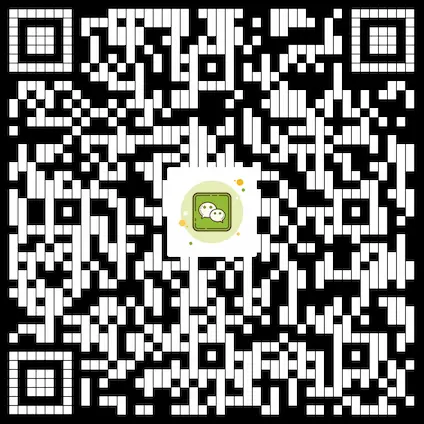
You can also scan the QR code below to add our Enterprise WeChat customer service for one-on-one technical support. We are committed to resolving any issues you encounter during use and working with our users to build a more reliable and user-friendly password management product.
For questions or assistance, please contact us via:
📧 Email: CryptKey-sp@jainkre.com
💬 Enterprise WeChat Support: Available weekdays 10:00 AM - 5:00 PM